About this Course
Excel is far more than a spreadsheet. It teaches students how to organize, analyze, and present data in ways that support academic success and open doors to future opportunities. Proficiency in Excel is an essential skill for anyone who wants to work confidently with information, solve problems, and make smart decisions using data. Adding Excel to your toolkit—and your résumé—signals readiness, confidence, and a commitment to excellence.
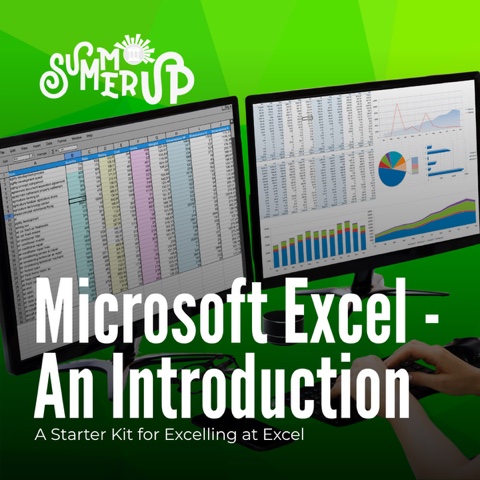
SummerUp’s Microsoft Excel – An Introduction course gives high school students a powerful head start in one of the most widely used tools in school, university, and the workplace. This course introduces students to the core building blocks of Excel: setting up spreadsheets, entering and managing data, performing calculations, and creating clear visual displays that communicate meaning.
This course is ideal for students who recognize that data literacy is central to fields such as health sciences, social sciences, business, finance, policy, justice, and STEM.
Read more about why Excel skills matter:
Excel Dominates Tech Job Market Despite AI Talent Wars – LambHam, August 31, 2025
Why Excel Is Still the Most Important Workplace Skill – LinkedIn, January 8, 2026
Dates
Section 1: Tuesday, August 11 to Thursday, August 13, 2026
Section 2: Tuesday, August 25 to Thursday, August 27, 2026
Duration
3 days (Tuesday – Thursday). The course is offered twice – please apply for one of the two sections.
Daily Schedule
Tuesdays: 5:30 p.m. – 8:00 p.m. (includes orientation)
Wednesdays: 6:00 p.m. – 8:00 p.m.
Thursdays: 6:00 p.m. – 8:00 p.m.
Who Should Apply
- Leadership by Design (LBD) students, who in September 2026 will be in Grade 12 (C24), Grade 11 (C25) or first-year university (C23).
- Other Black youth in Ontario, who in September 2026 will be enrolled in Ontario Grades 10, 11, and 12.
- Students interested in learning about Microsoft Excel and managing data.
- Students with no prior knowledge of Excel (the course is designed to welcome beginners while offering meaningful challenge for students with some prior knowledge of Excel).
Learning Outcomes & Takeaways
Upon completing SummerUp’s Microsoft Excel workshop, students will be able to:
Apply Essential Excel Skills
- Navigate the Ribbon and Quick Access Toolbar
- Use core Excel terminology accurately
- Enter and format date and time values
- Work with multiple worksheets within a workbook
Construct and Manage Data Cells
- Insert and delete rows and columns
- Use AutoFill and AutoFit to streamline data entry
- Rename, hide, and unhide worksheets
- Apply colour to worksheet tabs for organization
Use Formulas Effectively
- Enter and edit basic Excel formulas
- Apply AutoSum and SUM functions
- Use introductory statistical functions
- Create, modify, and troubleshoot formulas
- Apply basic text functions
Create Standard Charts
- Build basic charts from data
- Add alternative text for accessibility
- Move and resize charts
- Change chart types
- Modify chart design and layout